
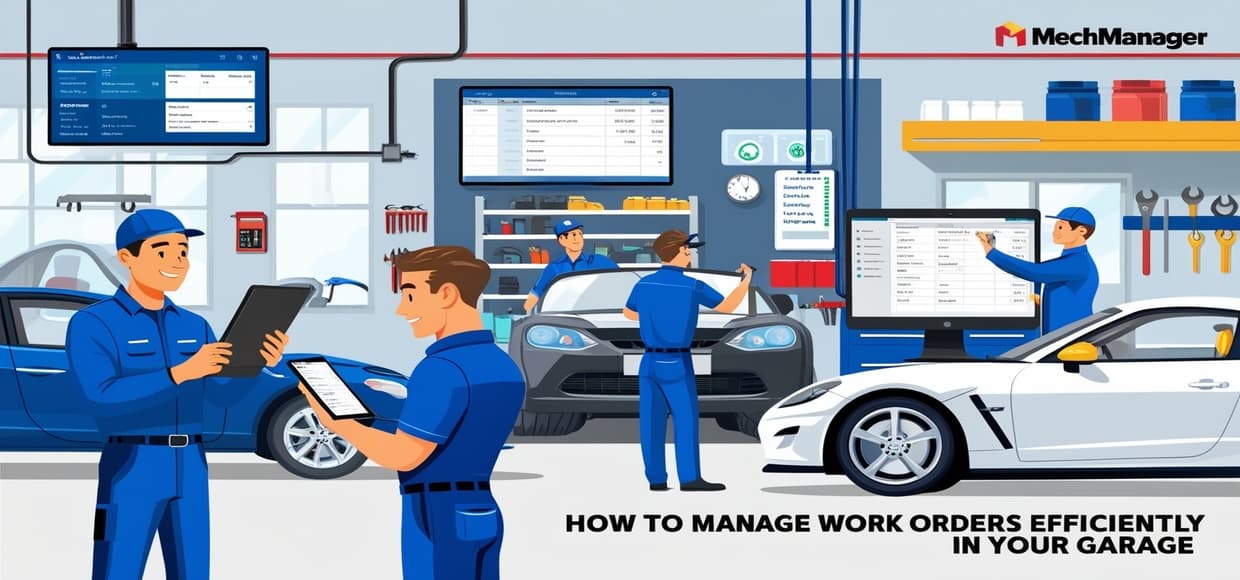
Managing work orders is a key part of running a successful garage. When work orders accumulate or are poorly managed, it can result in delays, dissatisfied customers, and financial losses. However, with a well-organized system, you can ensure smooth operations, boost productivity, and keep customers happy.
In this article, we’ll cover practical strategies for managing work orders effectively in your garage. By implementing these tips and using tools like MechManager, you can streamline your processes, reduce mistakes, and enhance customer satisfaction.
1. Use a Digital Work Order System:
Managing paper-based work orders can be inefficient and prone to errors. Switching to a digital work order system will help you keep everything organized and accessible.
i. Centralize Information: A digital system stores all important data—like customer details, service history, and vehicle information—in one location, making it easy for your team to access the information they need.
ii. Eliminate Paperwork: A digital setup not only reduces clutter but also decreases the likelihood of losing or misplacing important documents.
iii. Use MechManager: With MechManager, you can create, track, and update work orders digitally, providing you with a streamlined and efficient way to manage your garage’s operations.
2. Prioritize Work Orders by Urgency:
Every work order has different levels of urgency, and managing them effectively means knowing how to prioritize.
i. Classify by Priority: Categorize work orders into emergency, routine, and minor repairs. This allows your team to focus on high-priority tasks first and ensures that critical repairs are not delayed.
ii. Set Realistic Deadlines: Assign deadlines to each work order based on the complexity of the task. By keeping clear timelines, you can prevent jobs from dragging on unnecessarily.
iii. Update Customers on Progress: Make sure to communicate timelines to your customers, and keep them updated if anything changes. This fosters trust and ensures customers remain happy.
3. Track Work Orders in Real-Time:
To keep your garage running smoothly, you need to monitor the progress of each work order. Real-time tracking helps avoid delays and ensures that no tasks are overlooked.
i. Monitor Job Status: By using tools like MechManager, you can track the current status of every job—from when it starts to when it’s completed. This lets you spot any potential delays and fix issues before they become serious.
ii. Manage Workloads: Real-time tracking also helps prevent overbooking or assigning too many tasks to the same mechanic, which ensures that jobs are completed on time.
iii. Update as Needed: If a task is taking longer than expected or additional parts are required, update the work order in the system so the entire team is aware. This minimizes the risk of missing important information or causing miscommunication.
4. Foster Clear Communication Among Team Members:
Good communication within your team is vital for efficient work order management. When everyone knows their role, tasks get done faster and with fewer mistakes.
i. Daily Meetings: Have short, daily meetings to review the day’s work orders and clarify priorities. This helps ensure everyone is on the same page and aware of their responsibilities.
ii. Assign Specific Tasks: Make sure each work order is assigned to a specific mechanic. This prevents confusion about who is responsible for what and keeps your team accountable.
iii. Collaborate via MechManager: Using MechManager, your team can share updates, leave notes, and track progress directly in the system, reducing the chances of misunderstandings.
5. Automate Repetitive Tasks:
Automation can save time and help your garage run more efficiently by handling routine tasks like creating work orders and sending reminders.
i. Automate Work Order Creation: For recurring services like oil changes or tire rotations, automate the creation of work orders. This reduces manual input and keeps things moving smoothly.
ii. Send Automatic Reminders: Set up automated reminders for upcoming appointments or regular maintenance services, ensuring that customers don’t forget about their scheduled visits.
iii. Automated Invoicing: Once a job is complete, MechManager can generate and send invoices automatically, speeding up the billing process and ensuring you get paid promptly.
6. Review and Analyze Completed Work Orders:
Analyzing completed work orders helps you identify areas where improvements can be made and ensures your garage continues to operate efficiently.
i. Track Completion Times: Regularly review how long each job took to complete. This allows you to see where your team can improve and where things are running smoothly.
ii. Gather Customer Feedback: After completing a job, reach out to customers for feedback. Ask whether the service met their expectations, and use this input to enhance your operations.
iii. Use Data for Continuous Improvement: With MechManager, you can monitor key metrics like job completion times, service types, and customer satisfaction. Leverage this information to continually improve your operations.
7. Keep Customers Informed:
Transparent communication with customers throughout the repair process builds trust and ensures a positive experience.
i. Send Regular Updates: Whether it’s via phone, email, or text message, keep customers informed about the progress of their repairs. Let them know when their vehicle is being worked on and when it will be ready for pickup.
ii. Notify of Additional Repairs: If any additional repairs are required beyond what was initially planned, inform the customer right away. Be transparent about any extra costs, and get approval before proceeding.
iii. Use MechManager for Customer Communication: With MechManager, you can send automatic updates and notifications to your customers, keeping them informed and reducing the need for manual follow-ups.
Conclusion:
Efficiently managing work orders is crucial for running a smooth and successful garage. By implementing a digital work order system, prioritizing tasks, and ensuring real-time tracking, you can optimize your workflow and deliver excellent customer service.
With MechManager, managing work orders becomes easier, allowing you to focus on providing top-notch service. Streamlined processes, clear communication, and automated tools will help you improve your efficiency, keep customers happy, and grow your business.